
Last updated on November 3rd, 2026 at 07:27 am
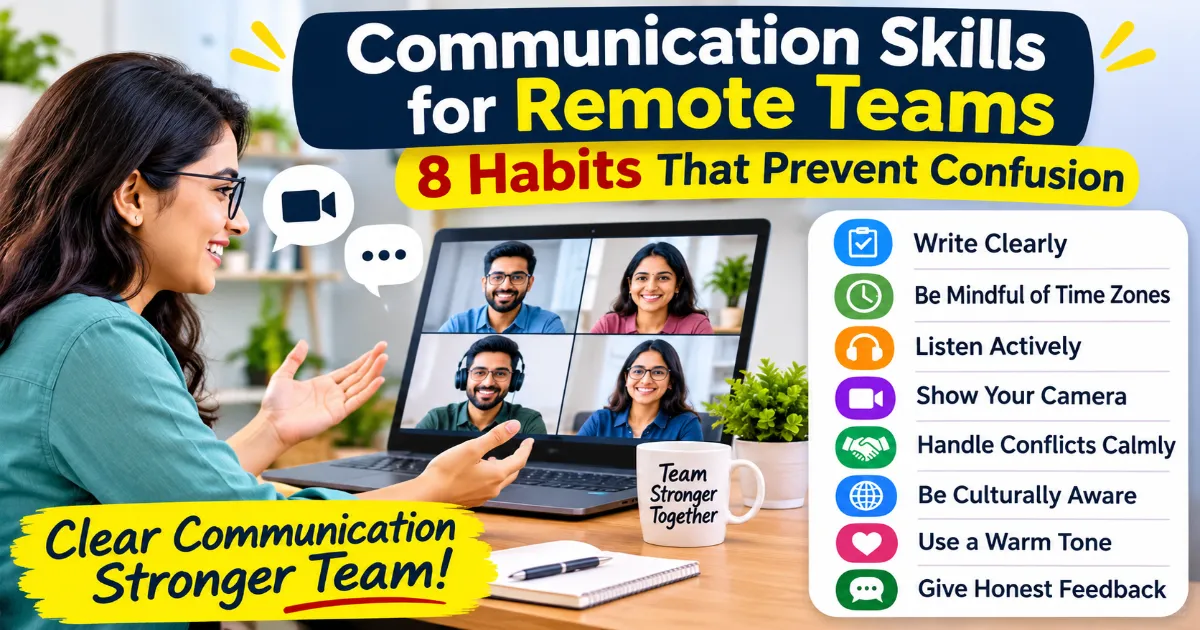
Communication skills for remote teams mean writing clear messages, listening well on calls, and agreeing on simple rules so nobody has to guess. When you cannot walk to someone’s desk, your words and your habits do all the work.
This guide covers eight habits you can start this week. It also gives you message templates, a meeting checklist, and a two-week plan. If you want the basics first, start with the types of communication skills.
Here is a common mix-up. Priya posts “Can you check this?” in the team chat at 6 pm. Her teammate in another city sees it at 9 the next morning. He opens the file. He has no idea what to check or by when. A whole day goes by.
Nobody was lazy. The message was missing context. That is the problem most remote teams face.
Key Takeaways
- Good communication skills for remote teams start with clear writing.
- Remote communication fails when messages are vague, not when people are careless.
- Every message needs three things: context, a clear ask, and a deadline.
- Agree on channels and reply times as a team.
- Use calls for tense talks. Use writing for facts and decisions.
- Look at the camera, not the screen.
- Ask about people, not only tasks. Loneliness is a real problem for remote workers.
Why Are Communication Skills for Remote Teams Harder to Build?
They are harder because you lose tone, body language, and quick questions. A short message can sound cold. Silence can mean anything.
Buffer’s 2023 State of Remote Work report asked remote workers about their struggles. According to Buffer, the numbers looked like this:
| Struggle | Named as any struggle | Named as the biggest |
|---|---|---|
| Loneliness | 23% | 15% |
| Not being able to unplug | 22% | 11% |
| Working across time zones | 19% | 14% |
| Collaboration and communication | 15% | 8% |
The survey ran from October to November 2022. Treat these as survey answers from remote workers, not a rule for every team.
Notice something. Loneliness and time zones rank above communication on its own. But both of them are communication problems in the end. A lonely person is a person nobody checks in with. A time zone gap is a gap in replies.
What Are the 8 Communication Skills for Remote Teams?
The eight skills are clear writing, async habits, active listening, camera presence, calm conflict handling, cultural awareness, warm tone, and honest feedback. Work on one at a time. I would start with clear writing, because it fixes the most problems at once.
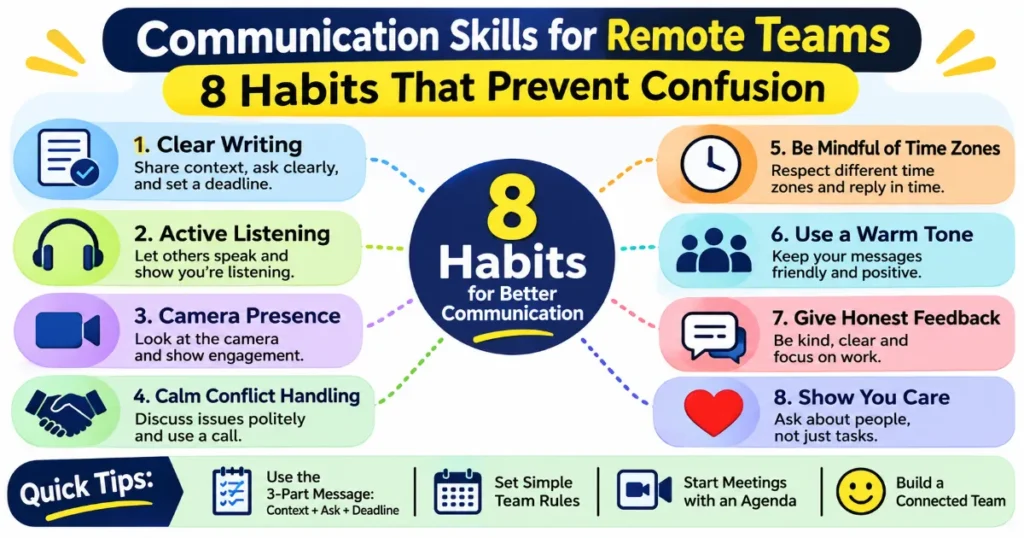
1. Clear Writing
Most remote work is written. So your message has to stand on its own.
Use this simple formula:
- Context. What is this about?
- Ask. What do you need from the person?
- Deadline. By when?
Compare these two messages.
Weak: “Can you check this?”
Better: “Here is the client deck for Friday’s call. Can you check the pricing slide for mistakes? I need your reply by 4 pm tomorrow.”
The second one takes ten more seconds to write. It saves a full day.
2. Async Habits
Async means the sender and the reader are not online at the same time. GitLab, a company that runs fully remote, writes about this in its handbook on asynchronous communication. Its advice is simple. Write down what you did. Give the reader the full context. Share links and next steps. Hand over ownership when you finish.
Try these in your own team:
- Write updates so someone can read them without asking you anything.
- Put links in the message, not “it is in the folder”.
- End with the next step and who owns it.
- If a thread goes in circles, switch to a short call.
3. Active Listening on Calls
On a call, it is easy to check your phone or read other tabs. People notice, even through a screen.
Look at the speaker. Let them finish. Then say their main point back before you reply. For simple drills, read how to practise active listening skills.
4. Camera Presence
You lose most body language on video. So the little signs matter more. Sit with the camera at eye level. Look at the lens when you speak. Nod lightly when others talk.
If you are not sure where to start, see our guide on body language in personality development.
5. Calm Conflict Handling
Never argue a hard point in chat. Text hides tone. A small disagreement can feel like an attack.
Instead, say, “I think we see this differently. Can we talk for ten minutes?” Then use a call. For useful lines, read these communication tips for conflict resolution.
6. Cultural and Time Zone Awareness
Teams spread across cities and countries speak differently. Some people say “no” very directly. Others never say it. Do not guess what silence means. Ask.
Also share your working hours. Put them in your chat profile. Respect them when you send messages. For more, read how to improve cross-cultural communication skills.
7. Warm Tone
Short messages can sound rude. “Ok.” can feel like annoyance. Add one human line.
- Cold: “Send it today.”
- Warmer: “Could you send it today? Thank you.”
Reading your own message once before sending catches most tone problems. Understanding feelings in a message is part of emotional intelligence.
8. Honest Feedback
Give feedback early, privately, and about the work. Say, “The report has three missing numbers.” Do not say, “You are careless.”
When you receive feedback, thank the person first. Then ask one question to be sure you understood.
What Message Templates Can You Copy?
Templates save time and reduce mistakes. Change the details to match your work.
Status update: “Done: the design is final. Next: testing starts Monday. Blocked: waiting for the vendor file. I will update you on Wednesday.”
Request: “I need help with the budget sheet. Can you check rows 10 to 20 for errors? Reply by Thursday noon, please.”
Delay notice: “I will miss today’s deadline. The data came late. I can send it tomorrow by 11 am. Does that work?”
For lines you can use in spoken talks, see these oral communication examples.
How Do You Run a Good Video Meeting?
A good video meeting has a purpose, a short agenda, and clear next steps. Use this table as a checklist.
| Stage | What to do |
|---|---|
| Before | Share the agenda and the goal in the invite |
| Start | State the goal in one sentence |
| During | Ask each person for one view. Do not let two voices take over |
| End | Repeat the decisions and who owns each task |
| After | Send a short written summary the same day |
If you find it hard to speak up in meetings, read how to speak up in meetings.
What Rules Do Communication Skills for Remote Teams Need?
Write down a few simple rules so nobody has to guess. Good communication skills for remote teams rest on shared rules. Keep it to one page.
| Question | Example rule |
|---|---|
| Which tool for what? | Chat for quick questions. Email for formal updates. Calls for tense talks |
| How fast should people reply? | Chat within a few hours. Email within one working day |
| What is urgent? | A call or phone message, not chat |
| When are meetings held? | Only in the hours that overlap for everyone |
| Where are decisions saved? | In one shared document |
Our guide on improving workplace communication has a longer action plan you can adapt.
What Should Managers Do Differently?
Managers should be clear, check in often, and listen more than they talk. Remote workers cannot read your face. They read your messages.
- Set clear goals. Say what a good result looks like.
- Hold a short one-on-one every week. Ask how the person is doing, not only what they finished.
- Reply fast to questions. A late reply can feel like a no.
- Praise in public. Give hard feedback in private.
- Share the reason behind decisions.
Listening is the hardest habit for many leaders. Read how to improve listening skills as a leader. For ideas to keep a team motivated, see how to motivate team members as a leader.
How Can You Reduce Loneliness in a Remote Team?
Loneliness is common among remote workers, so plan small moments of contact. In the Buffer report above, 23% named it as a struggle.
Try these small steps:
- Start meetings with two minutes of casual talk.
- Add a chat channel for non-work topics.
- Pair new joiners with a buddy.
- Ask “How are you, really?” once a week.
Do not force long social events. Short, regular contact works better.
What Mistakes Hurt Remote Communication?
These mistakes weaken communication skills for remote teams, even on friendly teams.
- Sending messages without context.
- Fixing tense talks in chat.
- Assuming silence means yes.
- Holding meetings at a time that suits only some people.
- Sending messages late at night and expecting a reply.
- Never asking how teammates are doing.
For more fixes, read how to overcome communication barriers.
A 2 Week Plan to Build Communication Skills for Remote Teams
| Days | Focus | What to do |
|---|---|---|
| 1 to 3 | Clear writing | Use context, ask, and deadline in every message |
| 4 to 6 | Rules | Write a one-page agreement on tools and reply times |
| 7 to 10 | Meetings | Add an agenda and a written summary to each meeting |
| 11 to 14 | Check ins | Hold one casual check-in with each teammate |
Conclusion
Communication skills for remote teams are not complicated. They are small habits repeated daily. Write with context. Agree on simple rules. Use calls for tense talks. Check in with people.
You do not need new software to improve communication skills for remote teams. You need clear messages and a little more care. I would start with one change today. Take the next message you plan to send and add the deadline.
FAQs
What are the most important communication skills for remote teams?
Clear writing, active listening, async habits, and warm tone. These four prevent most misunderstandings.
How can remote teams improve communication?
Agree on tools and reply times, write messages with context and a deadline, and hold short regular check-ins. Small rules work better than big programs.
What are the biggest communication problems in remote teams?
Vague messages, time zone gaps, missing tone, and loneliness. In Buffer’s 2023 survey, 23 percent of remote workers named loneliness as a struggle and 19 percent named time zones.
How do you communicate clearly in remote work?
Use three parts in every message: context, ask, and deadline. Read it once before sending.
Which tools are best for remote team communication?
Any chat tool, video tool, and shared document will do if the team agrees on how to use them. The rules matter more than the brand.

Ayanshi is the founder of PersonaGuru.in, a blog focused on personality development, career, relationships, and mental well-being. With over 3 years of writing experience, she turns psychology and everyday experiences into practical, easy-to-understand advice for real life.
2 thoughts on “Communication Skills for Remote Teams: 8 Habits That Prevent Confusion”